
Neat Pulse integration
The Neat Pulse integration lets you monitor the connectivity and health of your Neat meeting room devices directly in StatusGator. StatusGator continuously tracks your internal Neat device status in real time, helping you quickly identify disruptions and maintain reliable meeting room operations.
Features
- Device connectivity monitoring – track the status of Neat meeting room devices directly from Neat Pulse.
- Real-time alerts – receive updates when devices go offline and return online.
- Accurate internal insights – bypass public dashboards and monitor the actual state of your owned devices.
Setting up the Neat Pulse integration
- In your Neat Pulse account generate API key and copy Organization ID.
- In StatusGator, go to Integrations → Monitoring → Neat Pulse → Add.
- Fill in the setup form with your:
- Display name – a label for this integration.
- Organization ID – from your Neat Pulse account.
- API key – generated in Neat Pulse under API settings.
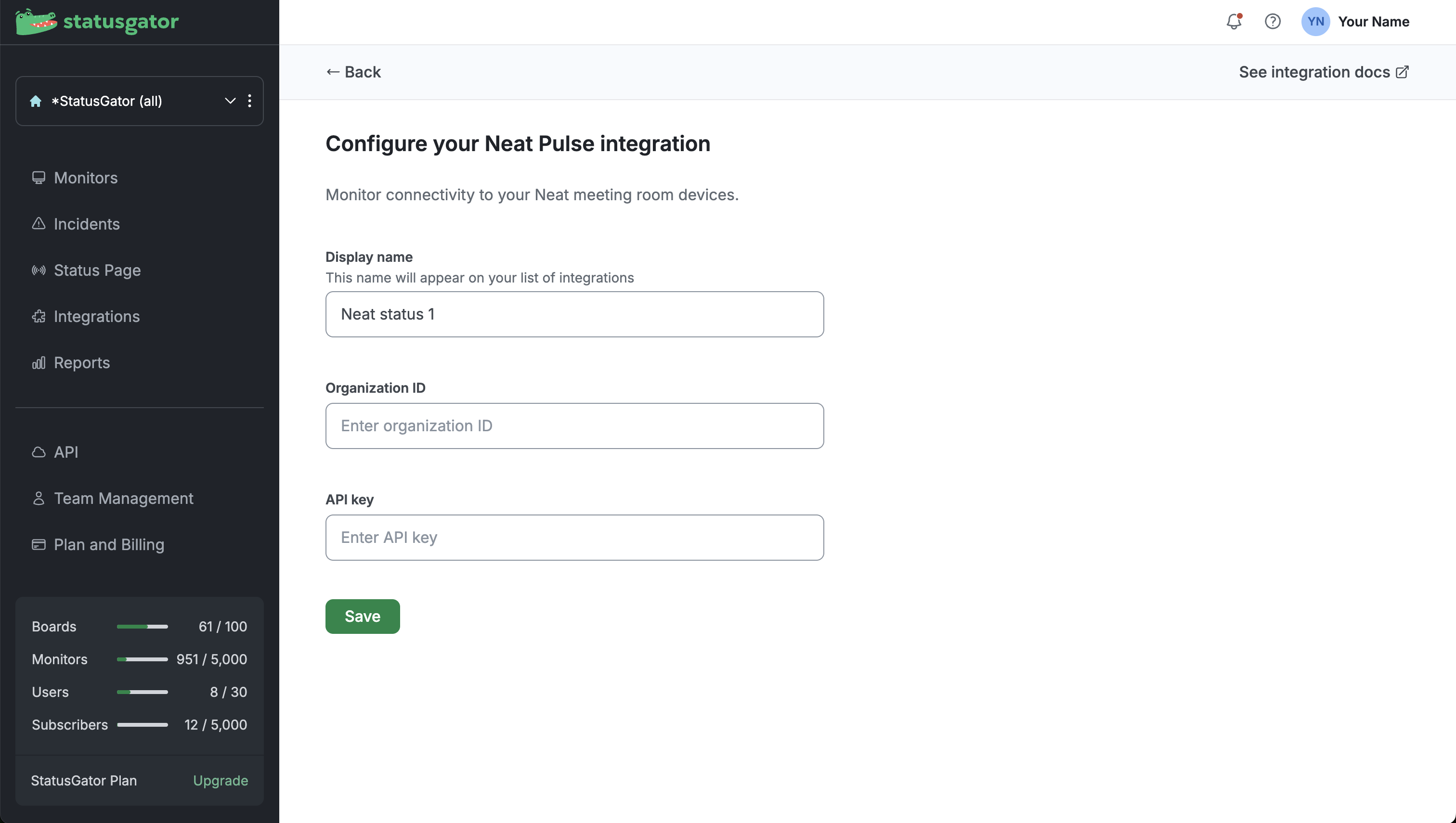
- Click Save to activate the integration.
What happens next?
- A single monitor for Neat Pulse will appear on your board.
- Under that monitor, each tracked Neat Pulse device or network segment becomes a component.
- Status changes within these devices or segments will update their individual components.