
Cisco Meraki integration
The Cisco Meraki integration lets you bring private connectivity and device health data from Meraki into StatusGator. Instead of relying only on public status pages, StatusGator can monitor your internal Meraki infrastructure and display it directly on your boards, status pages, and notifications. This gives you a more accurate, real-time view of your Meraki network health.
Features
- Meraki device monitoring – Monitor internal Meraki device status and network connectivity data.
- Improved visibility – Display Meraki health data alongside your other monitored services in StatusGator.
- Notifications & integrations – Alerts flow through all your connected integrations (Slack, Teams, Email, Webhooks, etc.).
- Status page transparency – Share Meraki health data on your public or private status pages for stakeholders.
Set up the Cisco Meraki integration
- In your Meraki account generate and copy your API key.
- In StatusGator, go to Integrations → Monitoring.
- Find Meraki and click Add.
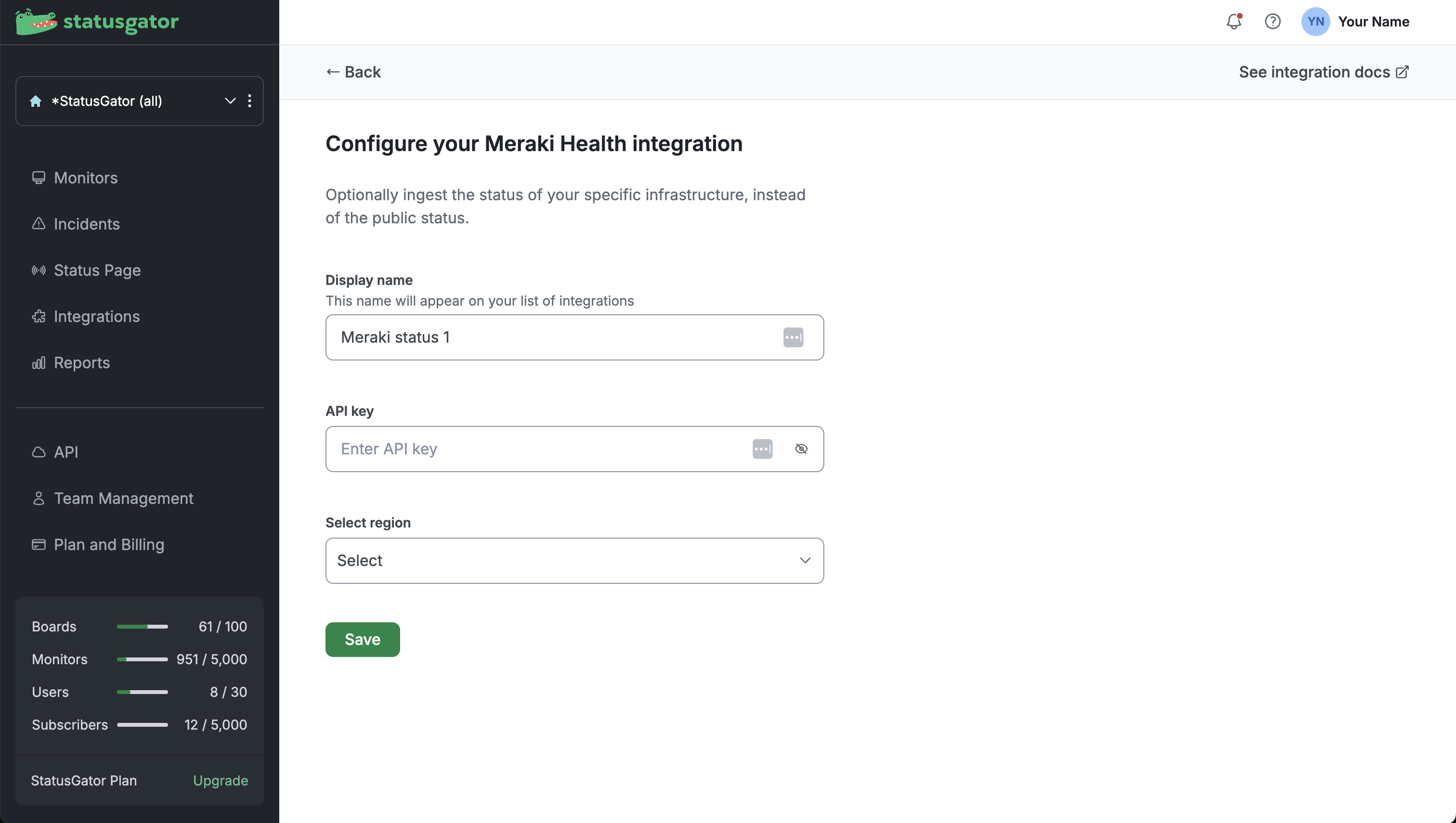
- Enter a Display name for the integration, paste your API key, select your region, and click Save
What happens next?
- A single monitor for Meraki will appear on your board.
- Under that monitor, each tracked Meraki device or network segment becomes a component.
- Status changes within these devices or segments will update their individual components.