Understanding status page ratings
StatusGator continuously monitors provider status pages to assess how promptly they acknowledge incidents. To help users quickly understand the reliability of these pages, we assign each provider a Status Page Rating based on how quickly they acknowledge issues.
What the ratings mean
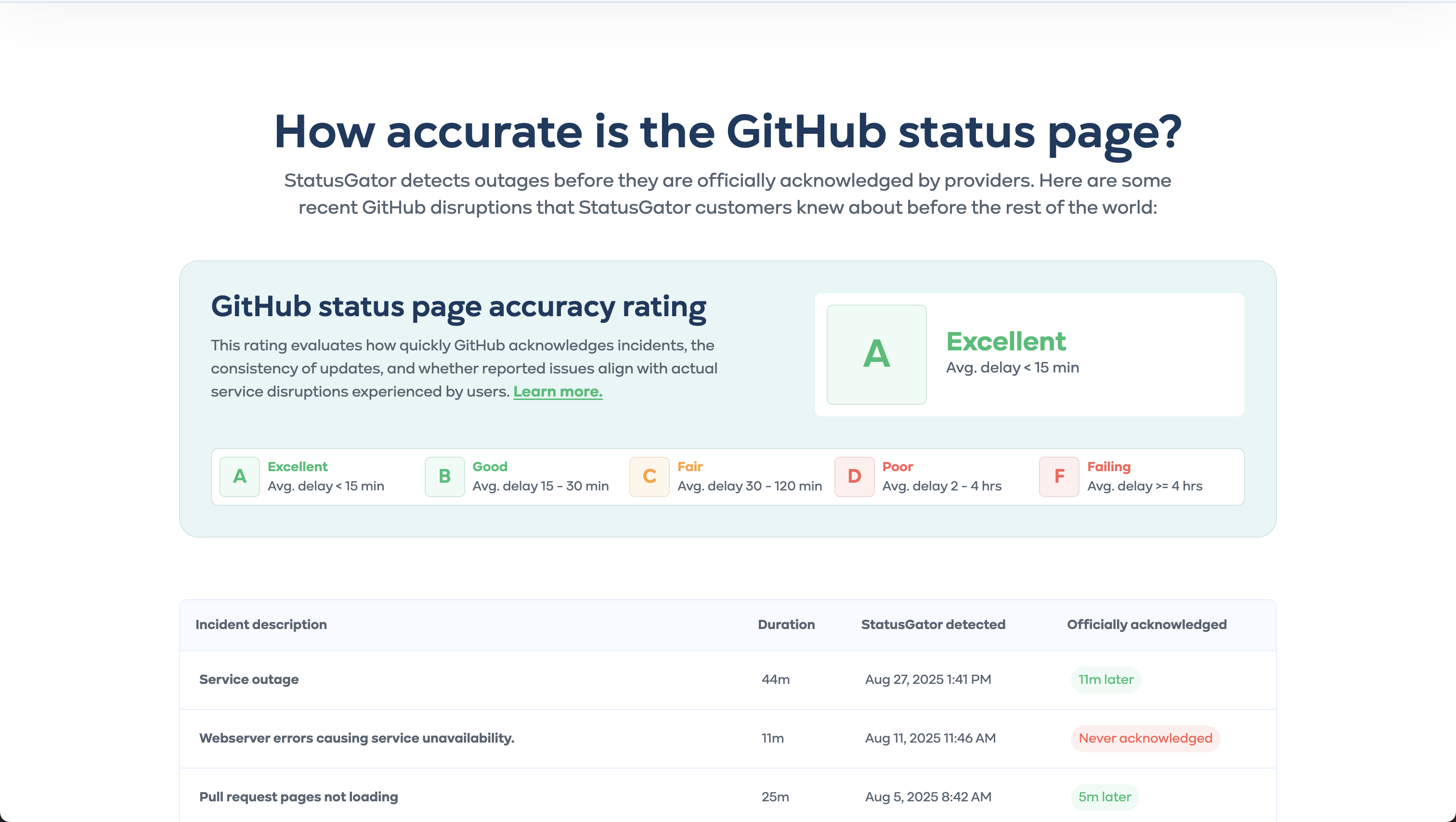
Each provider receives a letter rating based on their average acknowledgment delay over the past 90 days:
- A (Excellent): Average delay less than 15 minutes
- B (Good): Average delay between 15 and 30 minutes
- C (Average): Average delay between 30 minutes and 2 hours
- D (Poor): Average delay between 2 and 4 hours
- F (Failing): Average delay greater than 4 hours
How ratings are calculated
We analyze incidents over the past 90 days and recalculate ratings daily to ensure they reflect recent provider performance.
Incidents are categorized as follows:
Provider-Acknowledged Incidents (Detected by StatusGator):
The delay is measured from the moment StatusGator detects an incident using Early Warning Signals to when the provider officially acknowledges it on their status page.
Provider-Published Incidents (Not Detected by StatusGator):
If the provider announces an incident before any StatusGator user reports it, we assign a delay of 0 minutes.
Unacknowledged Incidents:
If StatusGator detects an incident that the provider never acknowledges, we assign a fixed penalty delay of 4 hours (240 minutes).
We then calculate the average delay across all incidents in the past 90 days to determine the provider’s Status Page Rating.
Where to see status page ratings
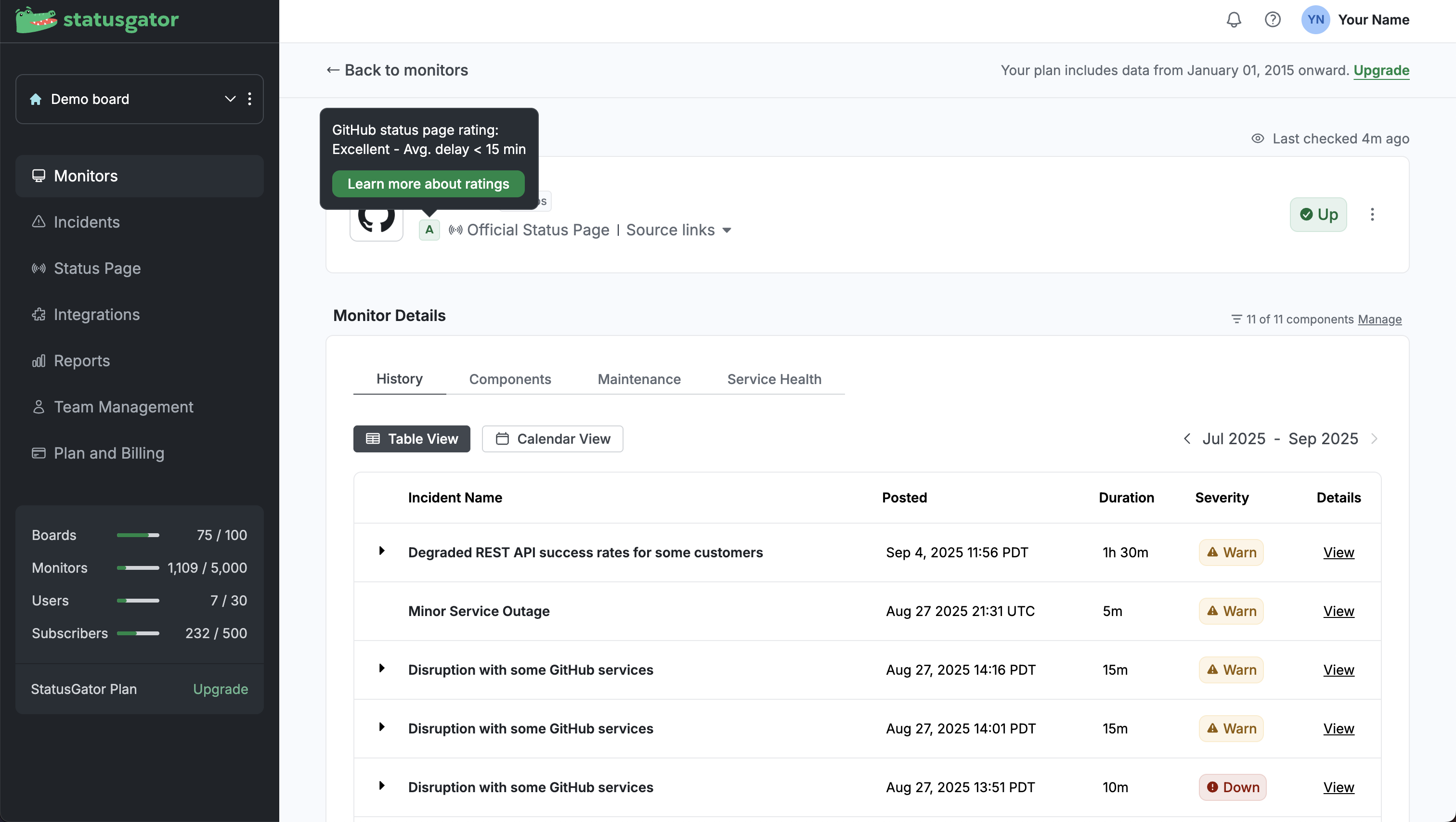
- On the service monitor details page – Shown in the top summary section. Hover over the rating badge to see the average delay time and description (for example: Excellent – Avg. delay < 15 min).
- On the StatusGator website (service directory → service page) — Ratings are displayed directly on each service’s page. You can find these by using the search bar in the header or by browsing the full list of monitored services in the service directory.